Booking page template that fills your calendar
A mobile-first appointment booking funnel: showcase the offer, qualify the visitor, and let them book without ever leaving the page.
Opens in CueFully · free to start, no credit card
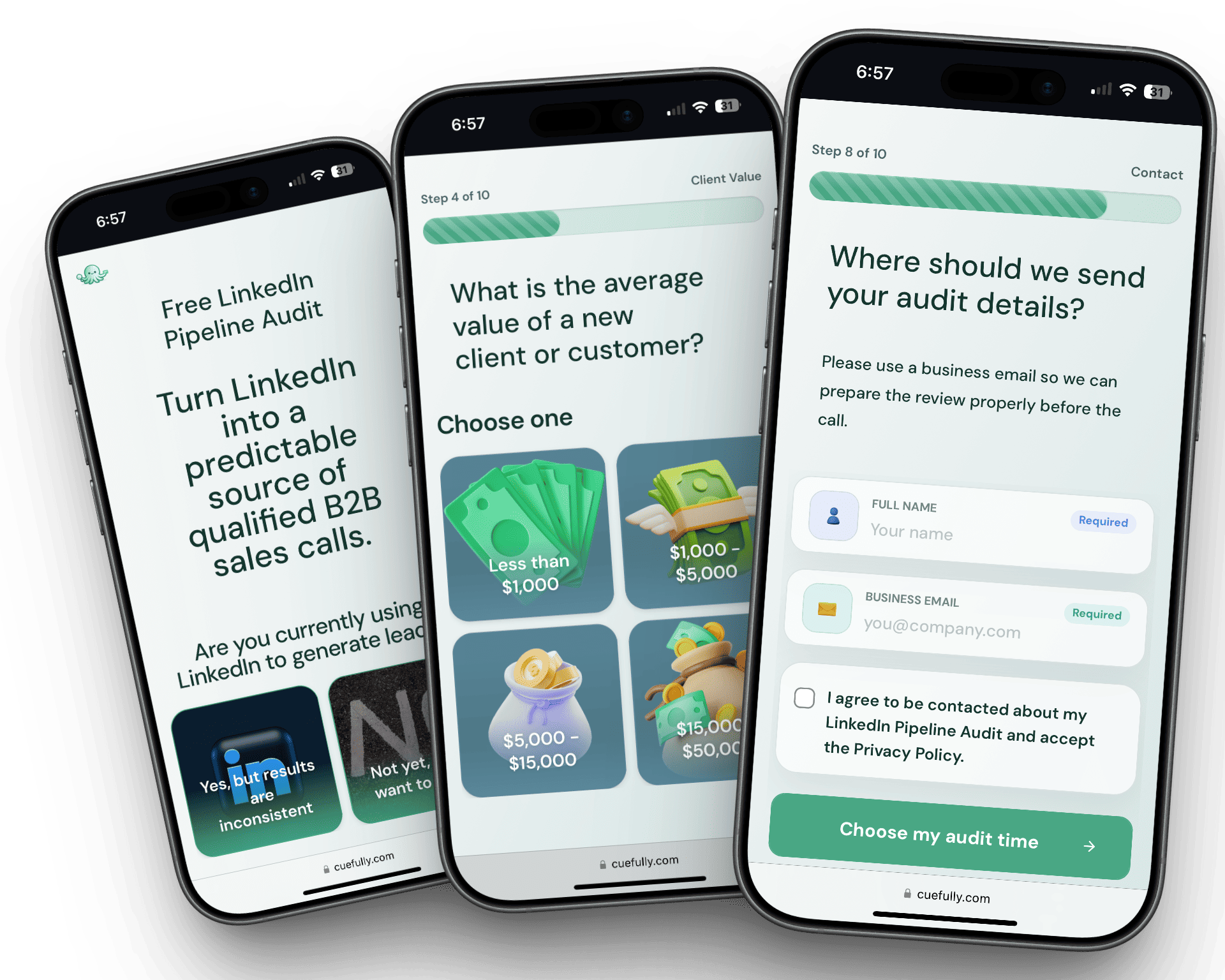
The 10-step appointment booking funnel
Every step is a mobile-first wall you can edit, reorder, or rebrand for each client. Here's how this funnel is built.
- 1
Offer intro
Frame the appointment around a concrete outcome instead of a generic call.
- 2
Problem fit
Confirm the visitor has the problem the offer is designed to solve.
- 3
Current process
Learn what they are using today and where the gap is.
- 4
Urgency
Prioritize prospects who are ready to act soon.
- 5
Budget or scope
Filter for deal size before the calendar is shown.
- 6
Contact details
Capture the information needed for follow-up and reminders.
- 7
Calendar embed
Let qualified visitors pick a slot without leaving the funnel.
- 8
Pre-call context
Collect the details that make the booked call more useful.
- 9
Confirmation
Confirm the appointment and tell the visitor what happens next.
- 10
Fallback follow-up
Give unbooked but qualified leads a clear next step.
What is a appointment booking funnel?
This booking page template is a mobile-first funnel that presents your offer, qualifies the visitor with a few short questions, and lets them book an appointment in the same flow. Unlike a static booking landing page, it filters out poor-fit visitors before they reach your calendar, so the appointments you get are worth showing up for.
If you're planning the flow before you build it, our guide to how a booking funnel works walks through the steps this template already follows.
Describe the appointment
Set what the visitor is actually booking — a consultation, a quote, a fitting — and how long it takes, so expectations are set before the calendar appears.
Screen for the wrong bookings
Add the questions that catch out-of-area, out-of-budget, or wrong-service enquiries before they take a slot you can't fill again.
Match the calendar to reality
Connect your real availability and confirmation flow, so every booking that lands is one your team can actually keep.
Who it's for
Best for service businesses and the agencies running their campaigns — anyone whose goal is a booked appointment rather than a raw enquiry. It's built for calendar-driven businesses where an unqualified booking costs a real slot: clinics, studios, trades, detailers, and any consultation that ties up an hour.
Why it converts
Each step asks for one small commitment, which is far easier to say yes to than a long form, and the qualifying questions mean the appointments that land on your calendar are worth showing up for. Because booking happens inside the funnel rather than on a redirect to a separate scheduler, the visitor never loses momentum at the point they've already decided to commit.
- The visitor books without ever leaving the funnel or waiting on a redirect
- Qualifying questions run before the calendar, so bad-fit bookings never take a slot
- Works on the phone screen where most ad clicks arrive, in under a second
Frequently asked questions
More funnels
Browse the full funnel template gallery, or read our guide to building a lead generation funnel.
Launch this appointment booking funnel in minutes
Customize it for your client, publish a sub-second funnel, and watch leads land in real time.
Use this funnel